cranklink

Independent tools / MIT licensed

Your bike.
Your settings.

Open-source diagnostics, settings and recovery tools for Shimano STEPS and Di2.

Web: Chrome or Edge on desktop / Android.   Android app: STEPS over Bluetooth LE.
WEB APPRUST → WASM → BROWSER
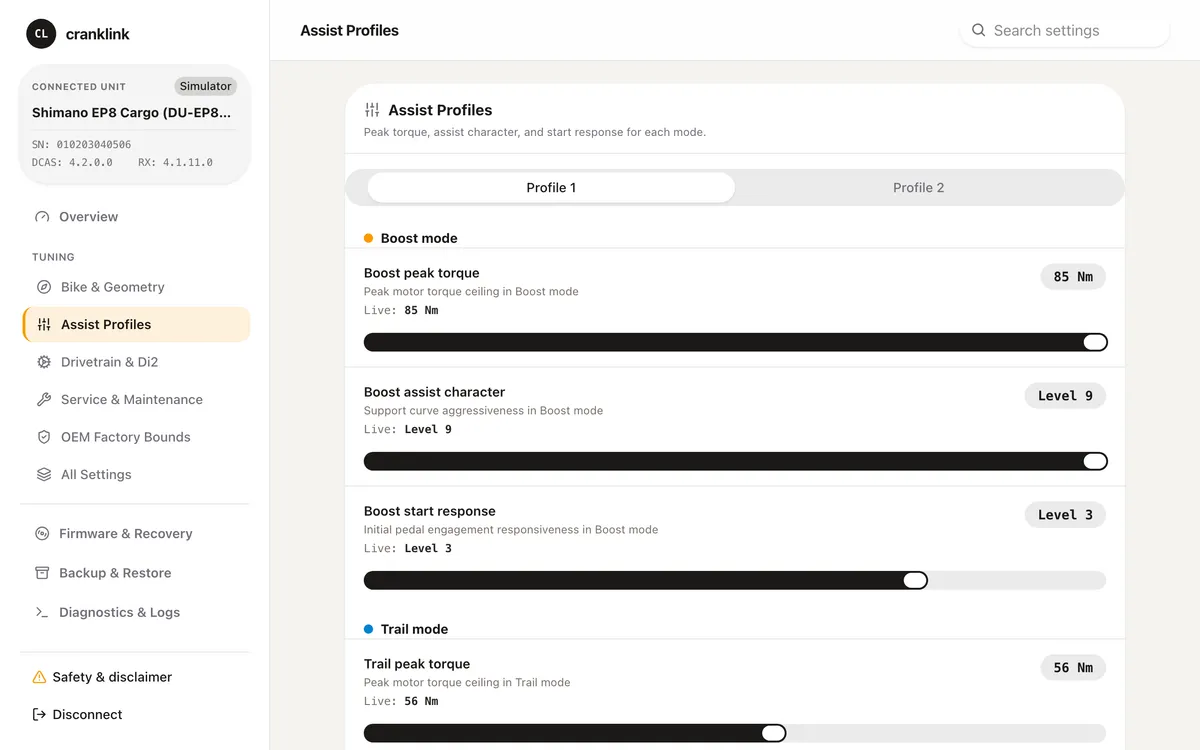
Cranklink web app showing assist profile settings using simulator data
01 / Assist profiles in the web app. Simulator data shown.
Browser appAndroid appCommand-line toolOne shared Rust core

What you can do

Your settings. Your tools.

Change supported settings, use the platform you prefer, and modify the tool itself. The source and protocol documentation are open; the code is MIT-licensed.

01 / CONFIGURE

Go beyond the usual controls.

Change assist profiles, speed limits, wheel circumference and other supported settings, including factory fields. Availability depends on the component and firmware.

Explore supported settings ↗
02 / CHOOSE & ADAPT

Use your own setup.

Use the web app, Android app, or CLI on Linux, macOS and Windows. Build from source and adapt the code to your needs.

Get the source ↗
03 / RECOVER

A way back from bootloader.

CLI recovery over SM-PCE02 USB. Tested on an EP800-CRG; requires an intact bootloader and your own firmware.

Recovery documentation ↗

How it started

One bricked motor.
An open notebook.

Cranklink began with an EP800-CRG that official tools and dealer service could not restore. The recovery work grew into a shared Rust core, browser and native tools, and public protocol documentation.
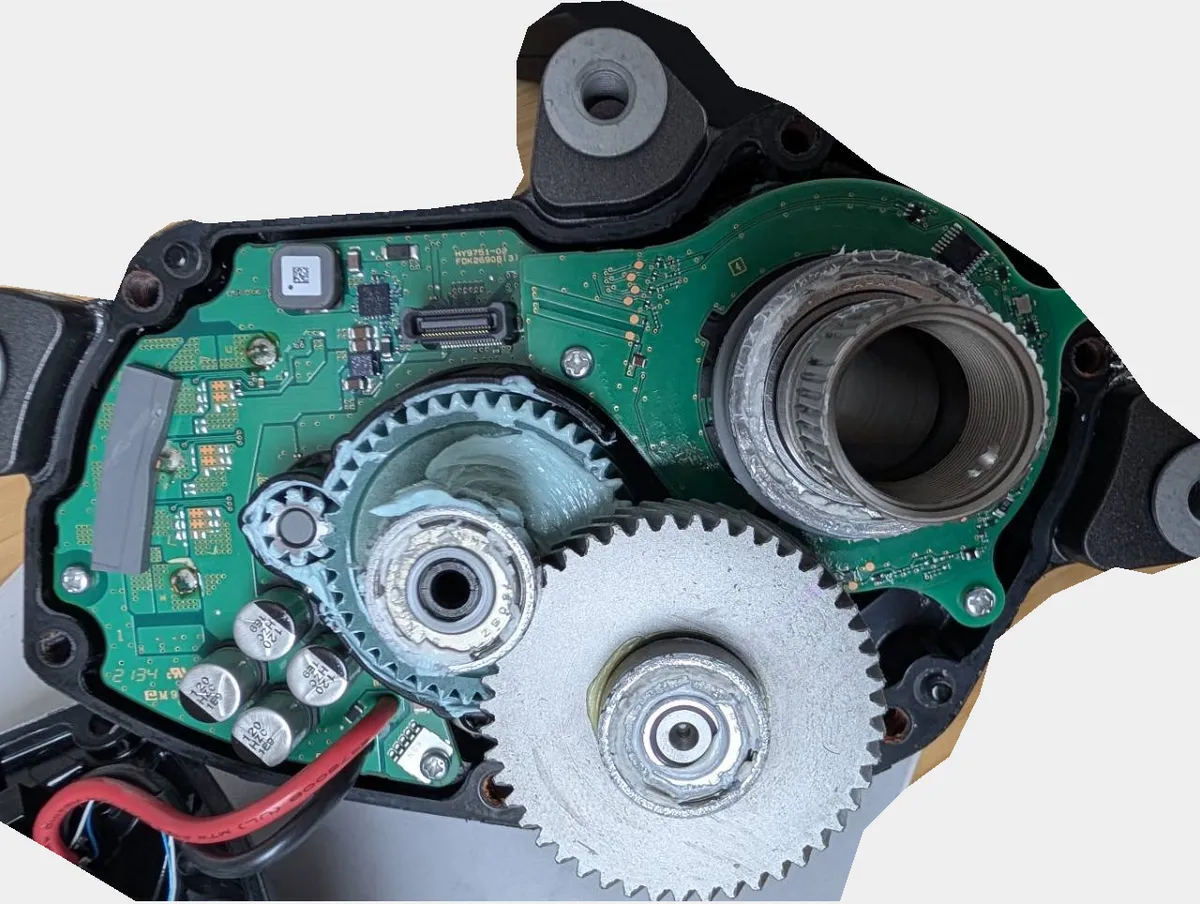
Opened EP800 motor and exposed electronics from the project's hardware recovery work
02 / Inside an EP800 motor.

Hardware & validation

Supported hardware.

Support depends on the model, firmware, connection and operation. Implemented support and testing on a physical bike are listed separately.

Selected examples — expand the full tables for other components and support details.
Drive unitFirmwareSettings statusRecovery (CLI / USB)
DU-EP800-CRG4.1.10 – 4.2.0Tested on a bikeYes, tested
DU-EP600, EP801, EP500 (and CRG versions)4.4.1 – 4.6.0PreviewOpt-in¹
DU-E8000, E80804.1.0 – 4.10.0PreviewOpt-in¹
Full compatibility tables10 motor families · 8 other component groups

Android supports STEPS drive units over Bluetooth LE. Di2 component settings are available in the web app and CLI. Bootloader recovery requires the CLI and an SM-PCE02 USB adapter.

Scroll across to see every column. Motor and component names stay visible.

Motors
MotorMotor firmwareWhat you can changeStatusFirmware recovery
DU-EP800-CRG4.1.10 – 4.2.0Assist tuning, region, wheel sizeTested on a bike, over Bluetooth (SC-EM800) and wiredYes, tested
DU-EP8004.1.10 – 4.2.0Assist tuning, region, wheel sizePreviewYes²
DU-EP600, EP801, EP500 (and CRG versions)4.4.1 – 4.6.0Assist tuning, region, wheel sizePreviewOpt-in¹
DU-E5100AllRegion, assist speed limit, maintenance settingsPreviewOpt-in¹
DU-E8000, E80804.1.0 – 4.10.0Assist presets, Boost/Trail levels, region, wheel sizePreview; reading tested on a bikeOpt-in¹
DU-E7000AllAssist presets, Boost/Trail levels, wheel size, mounting anglePreviewOpt-in¹
DU-E6100, E6110, E6180AllAssist pattern (Comfort or Sportive), wheel size, mounting anglePreviewOpt-in¹
DU-E6002, E60123.3.0 and newerRegion (Europe, US, Korea)PreviewOpt-in¹
DU-E6000, E6001, E6010, E60503.2 – 3.9Wheel size, mounting anglePreviewOpt-in¹
DU-E5000, E5080AllNothing; identified only——
Tested on a bike
Confirmed on physical hardware.
Preview
Implemented and checked against the protocol in software; physical bike confirmation is in progress.
—
Not applicable or not supported.

¹ Command line only, with --allow-unverified-model. Not run on hardware.

² DU-EP800 shares the EP800-CRG’s identity (23/00) and firmware, so the CLI accepts it without --allow-unverified-model. Recovery has not been run on that model’s hardware.

E7000, E6100 and older E6000-family motors keep their factory region. Available fields depend on firmware and device permissions. Recovery requires an intact bootloader and your own firmware files.

Other components · web app and CLI
PartWhat you can changeModels
Road and gravel Di2 levers (10 and 11-speed)Button functions, top buttons, bike computer buttons (D-Fly)Classic levers; top buttons and D-Fly on ST-R9150, R8050, RX815
E-bike handlebar switchesButton functions, swap assist and shift buttonsSW-E7000, SW-E6000, SW-E6010-L, SW-E8000-L
Front and rear derailleurs (10, 11 and 12-speed)Multi-shift speed, synchronized shiftingDi2 derailleurs
12-speed wireless rear derailleursRadio mode, pairing passkeyRD-R9250, R8150, R7150, RX825, RX827, RX717, RX828-SGS
Wireless units and wireless displaysBluetooth passkeyEW-WU101, EW-WU111, EW-EN100, wireless SC-E displays
E-bike displaysDisplay settings, clockSC-E8000, E6100, E7000, EM800, EN600, EN610
Internal gear hub shifting unitsHub adjustmentMU-S705, MU-UR500, UR510, UR520
Di2 batteriesMulti-shift limitsBT-DN110, BT-DN300

12-speed levers (wired and wireless) and SW-EN600 / SW-EM800 switches have no settings support yet. Implemented component layouts have protocol tests but have not been validated on physical hardware.

Tables are built from the repository README. Full source & support notes ↗ · Settings reference ↗

Support reference on GitHub ↗   ·   Di2 settings are available in the web app and CLI; hardware validation is pending.

Use it. Read it. Contribute.

An open project, in progress.

Source code, protocol notes and issue reports live on GitHub.

Explore the repository ↗

Unofficial and experimental. Independent of Shimano. Writing settings or firmware can permanently damage hardware and void warranties. Assist speed changes may make a bike non-compliant with local law. Firmware images are not bundled. Read the project warnings.